Verify your Phone Number
Your phone number is also one of the methods of 2FA (Two-Factor Authentication).
After you verify your Phone Number, you will need to Complete your KYC Verification (individual account) or Complete your KYC Verification (corporate account).
How to verify your phone number
- Mobile App
- Web
App
- Select the green CoinByte icon
 in the top left to open the Personal center.
 - Select Security Settings.
- Select Cellphone verification.
- Enter your phone number and click Get a code.
- Enter the one-time passcode sent to the phone number and select Next Step.
Web
- Select the
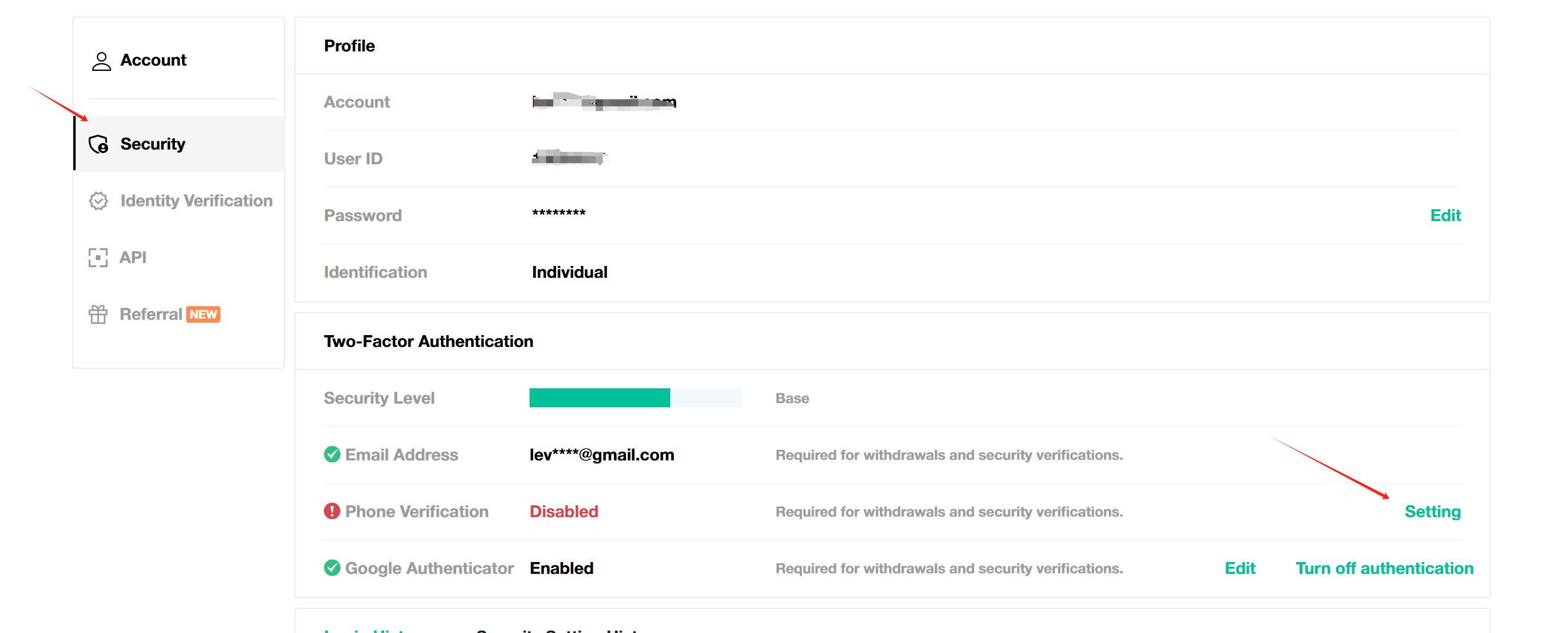
 in the header to open the Personal center page.
 - Select Security.
- Select Settings in Phone verification.
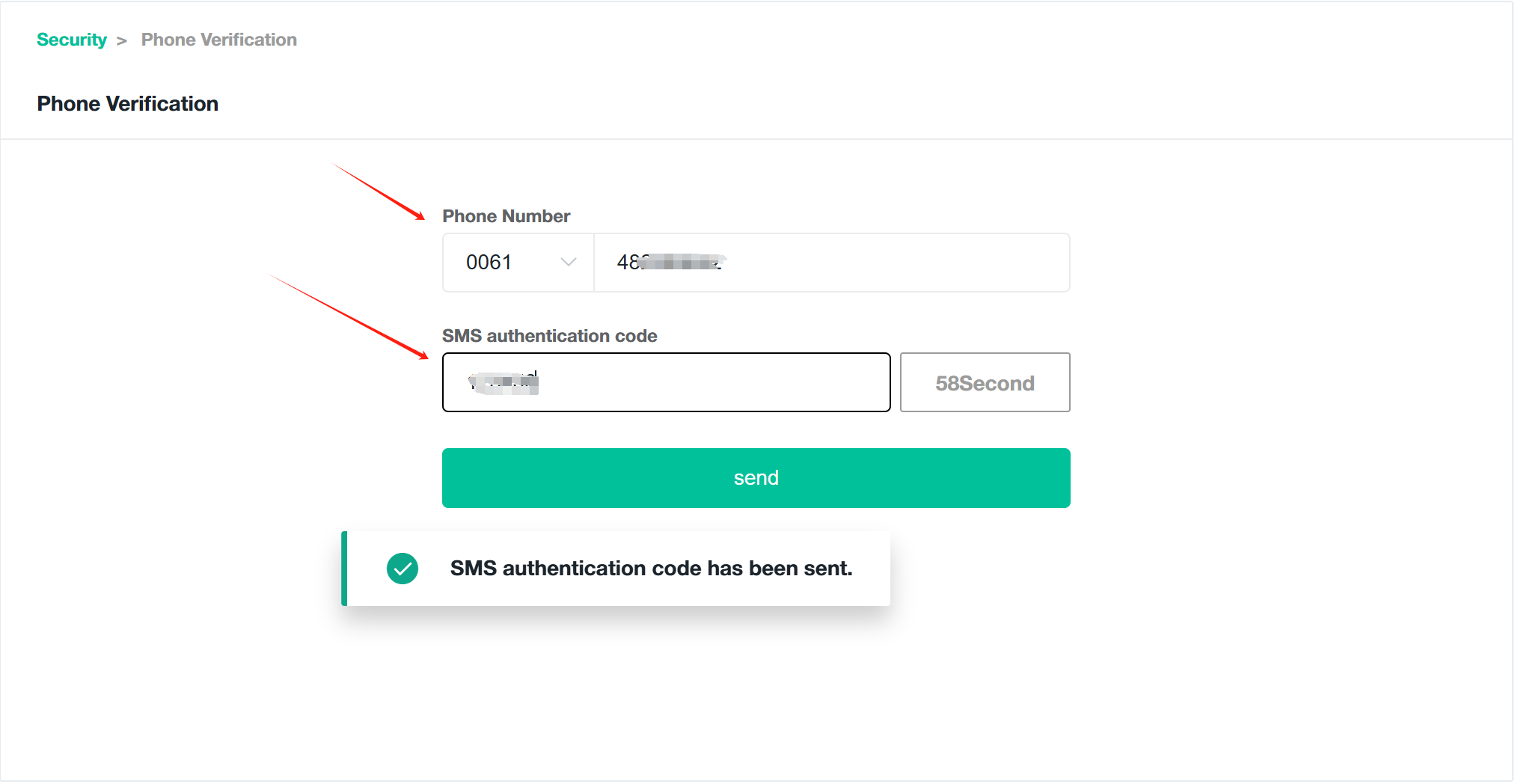
- Enter your phone number and click Get code.
- Enter the one-time passcode sent to the phone number and select Continue.
After you have verified 2FA, you will need to Complete your KYC Verification (individual account) or Complete your KYC Verification (corporate account).