Reset or Change Your Password
Regularly updating your password enhances security and prevents unauthorized access.
Weak or outdated passwords can make your account more susceptible to compromise.
Learn more about Password Requirements and Management to create the strongest possible password.
Reset a Forgotten Password
- Mobile App
- Web
App
- Select Forgotten your password? from the sign-in page.
- Type your registered email address.
- Select Next Step, you will receive an email to get the verification code.
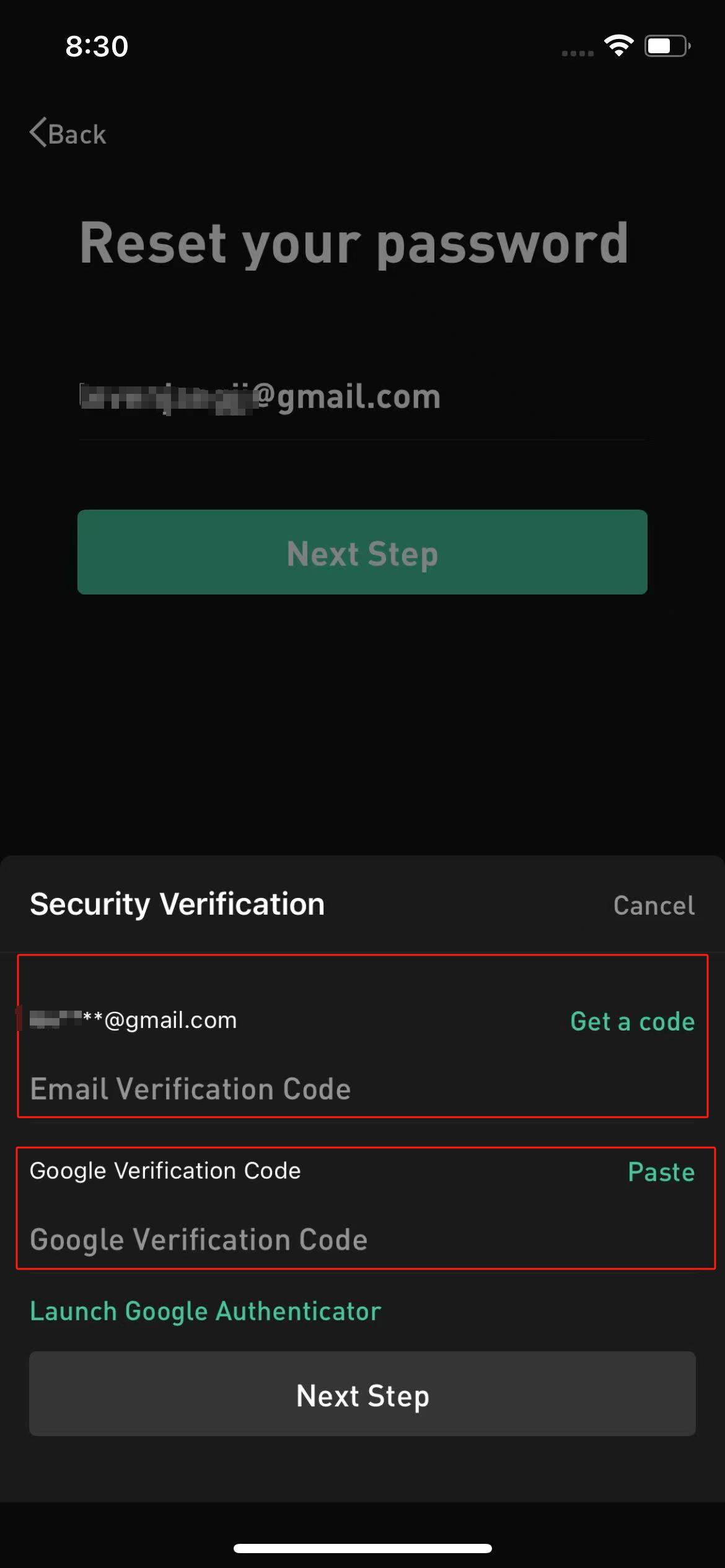
- Finish the email verification and Google verification. Click Next Step.
- Enter and save a new password before returning to the sign-in page.
Web
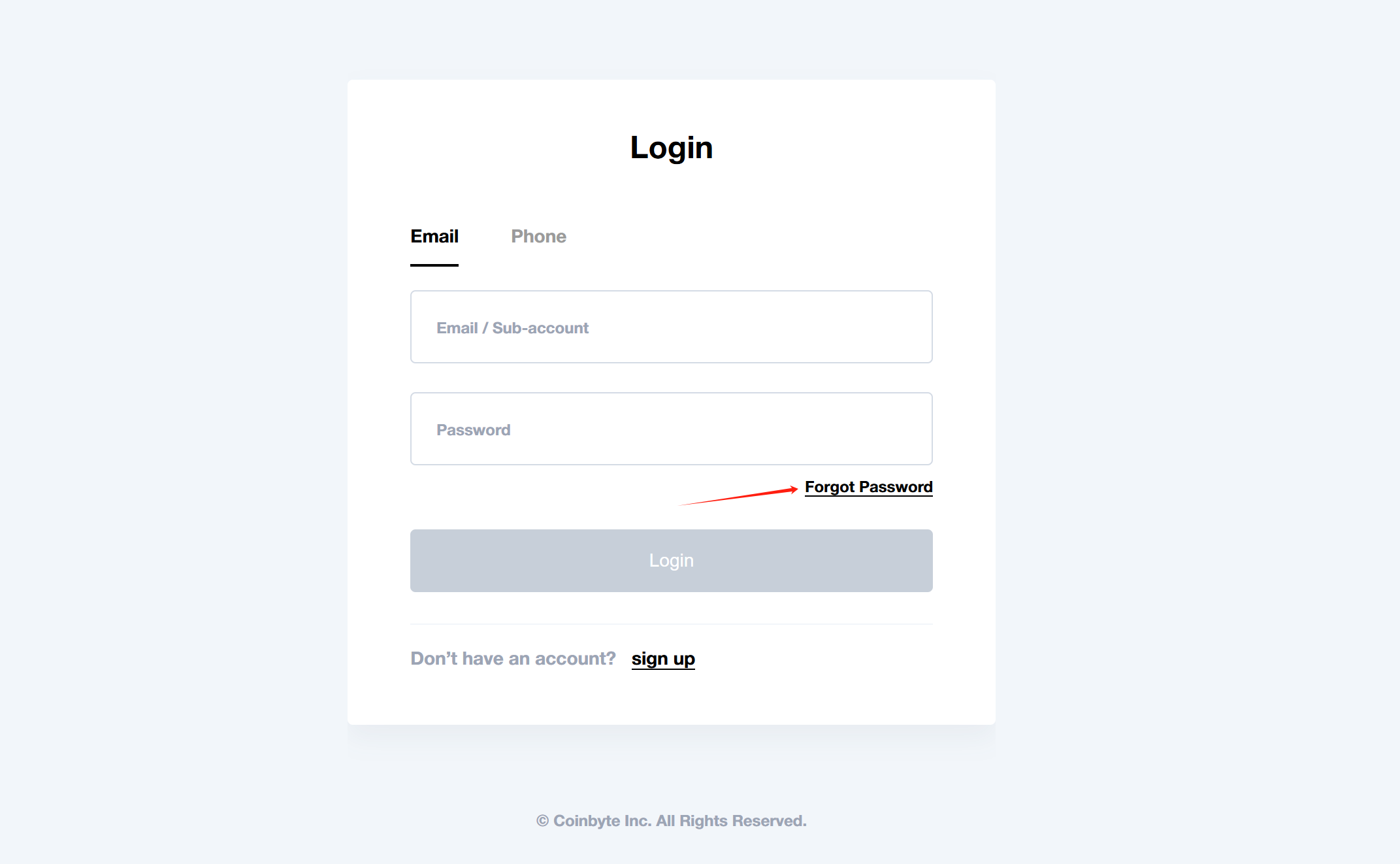
- Select Forgot password? from the sign-in page.
- Type your registered email address.
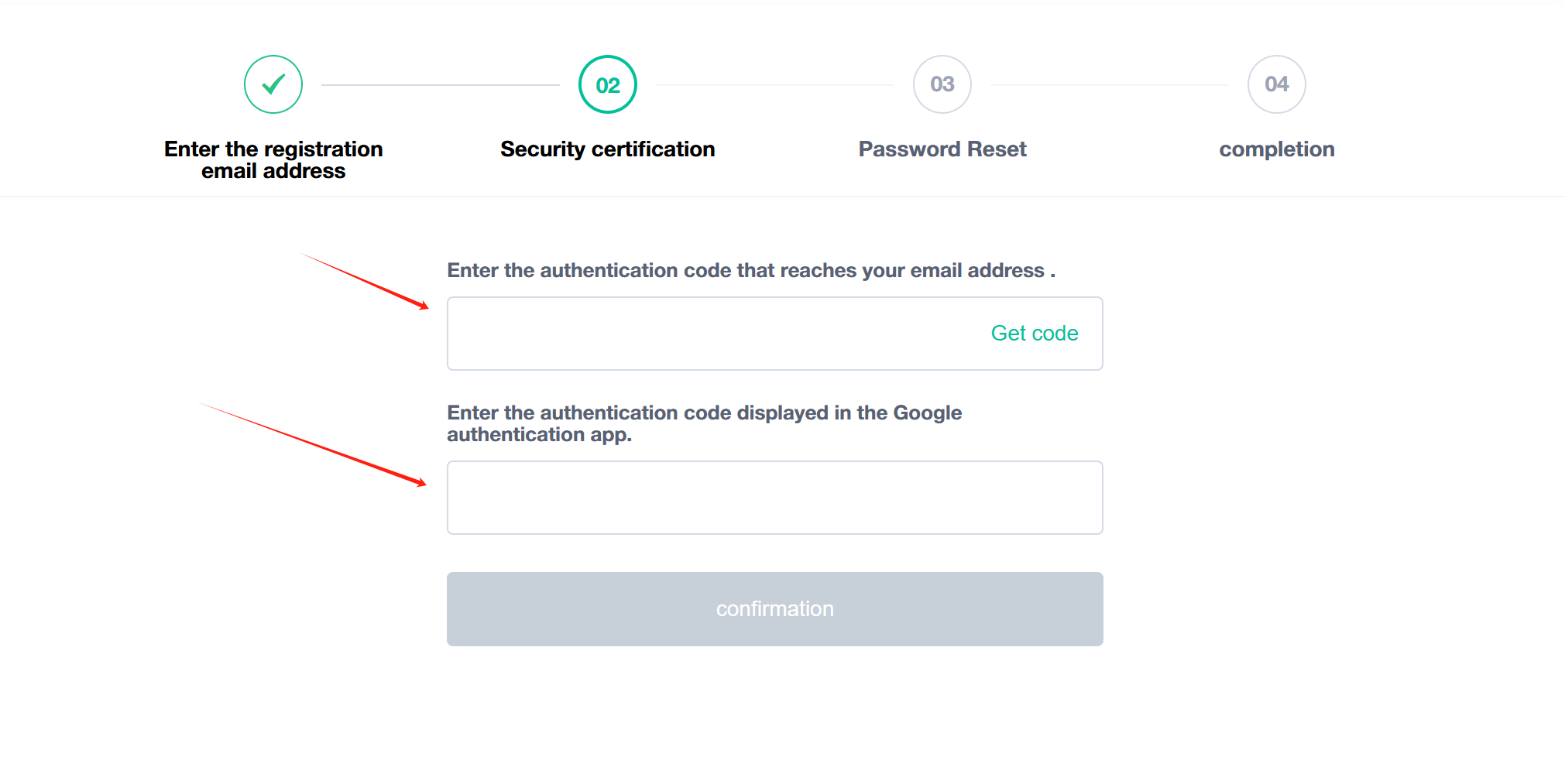
- Select Get code, you will receive an email to get the verification code.
- Finish your email verification and Google verification into the CoinByte website. Click Confirmation.
- Enter and save a new password before returning to the sign-in page.
Change Your Password (Web only)
- Mobile App
- Web
 in the header to open the Personal center page.
Please Note: For security purposes, you cannot withdraw funds or crypto within 24 hours after resetting or change your password.