Link a bank account
If this is your first time making a withdrawal you’ll need to add a bank account before you can withdraw funds.
💡
- Please Note: to protect your asset, you have to complete your first deposit (Minimum 10 AUD) to verify your bank account.
You can also remove an outdated bank account to avoid accidentally withdrawing to the wrong account.
- For personal accounts, withdrawals must be made to your personal bank account.
- For entity accounts, such as those belonging to a trust, company, or SMSF, withdrawals must go to the bank account linked to that entity.
💡
- Please ensure that you enter your bank details accurately. If you provide incorrect bank details and proceed with a withdrawal, recovering the funds (if possible) may take a considerable amount of time.
- For personal accounts, withdrawals must be made to your personal bank account.
- For entity accounts, such as those belonging to a trust, company, or SMSF, withdrawals must go to the bank account linked to that entity.
How to link a bank account
- App
- Web
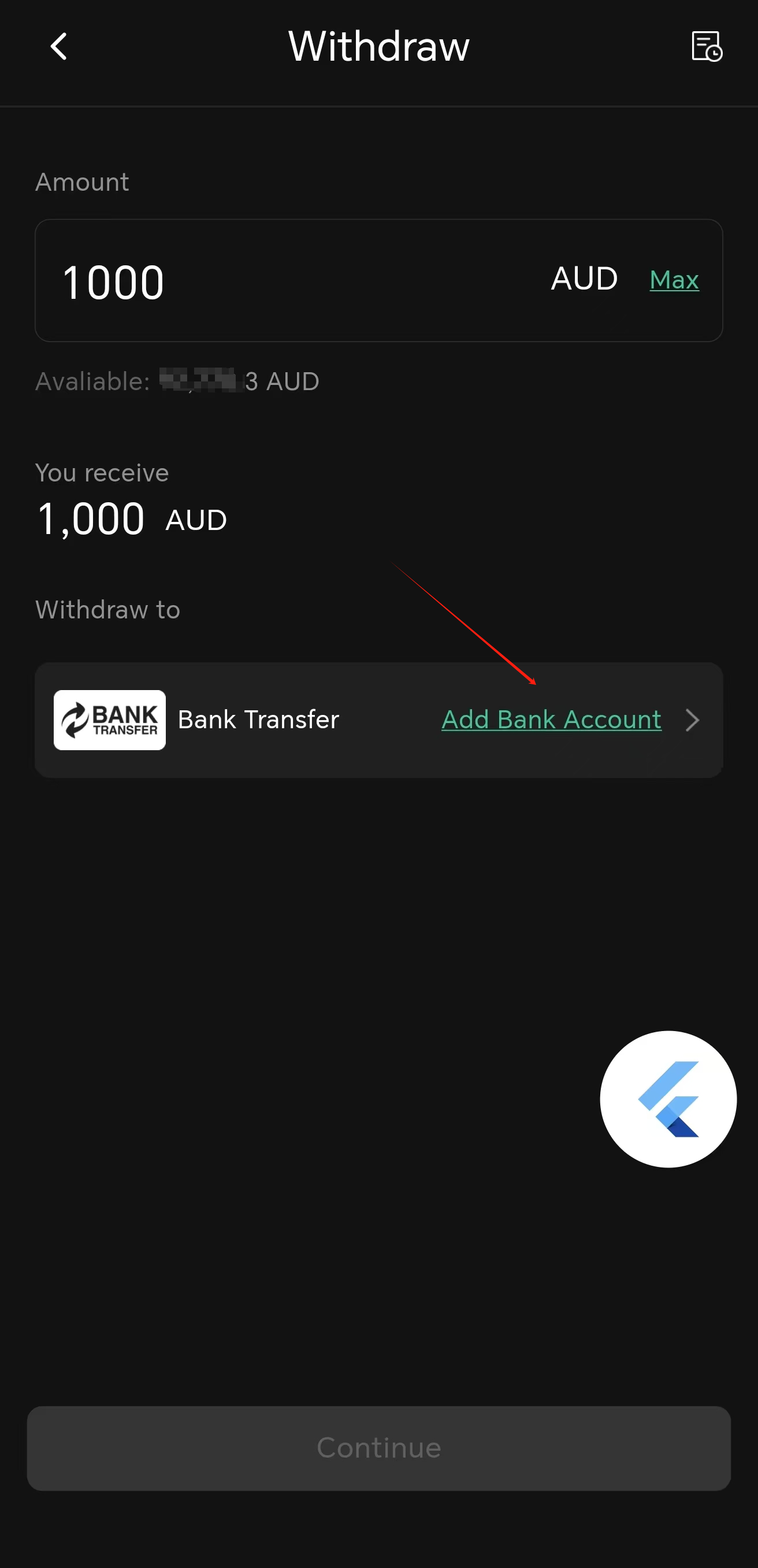
- Select Withdraw at the Dashboard.
- Select Fiat deposit, then select AUD or NZD.
- Select Add Bank Account, the page will jump to Deposit.
- Enter a deposit amount (minimum 10 AUD) to verify your account.
- Select Continue, copy your unique deposit information.
- Verification: Log into your bank and use the deposit information to finish the verification deposit.
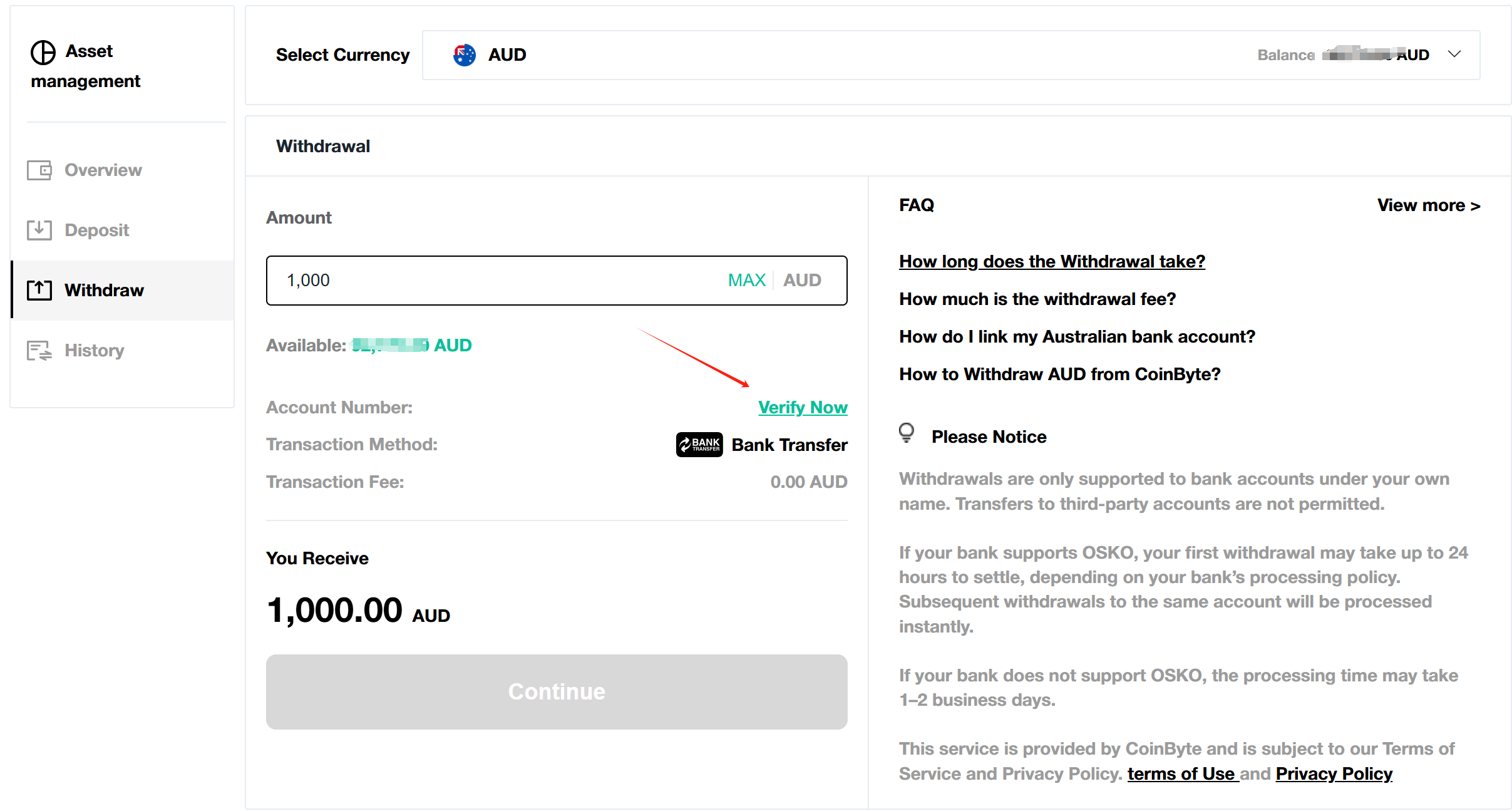
- Select Asset on the header.
- Select Withdraw on the left hand side menu.
- Select Verify Now, the page will jump to Deposit.
- Enter a deposit amount (minimum 10 AUD) to verify your account.
- Select Continue, copy your unique deposit information.
- Verification: Log into your bank and use the deposit information to finish the verification deposit.
How to remove a bank account (App only)
Currently, removing bank account is temporarily only supported on App.
- Select CoinByte icon
 on the top left to open Personal center.
 - Select your email address to go to Account info.
- Select Bank Account.
- Select the bank account you want to delete, confirm.